How to Set Up & Stream IPTV on Apple TV, iPhone, iPad & Mac (2026 Master Guide)
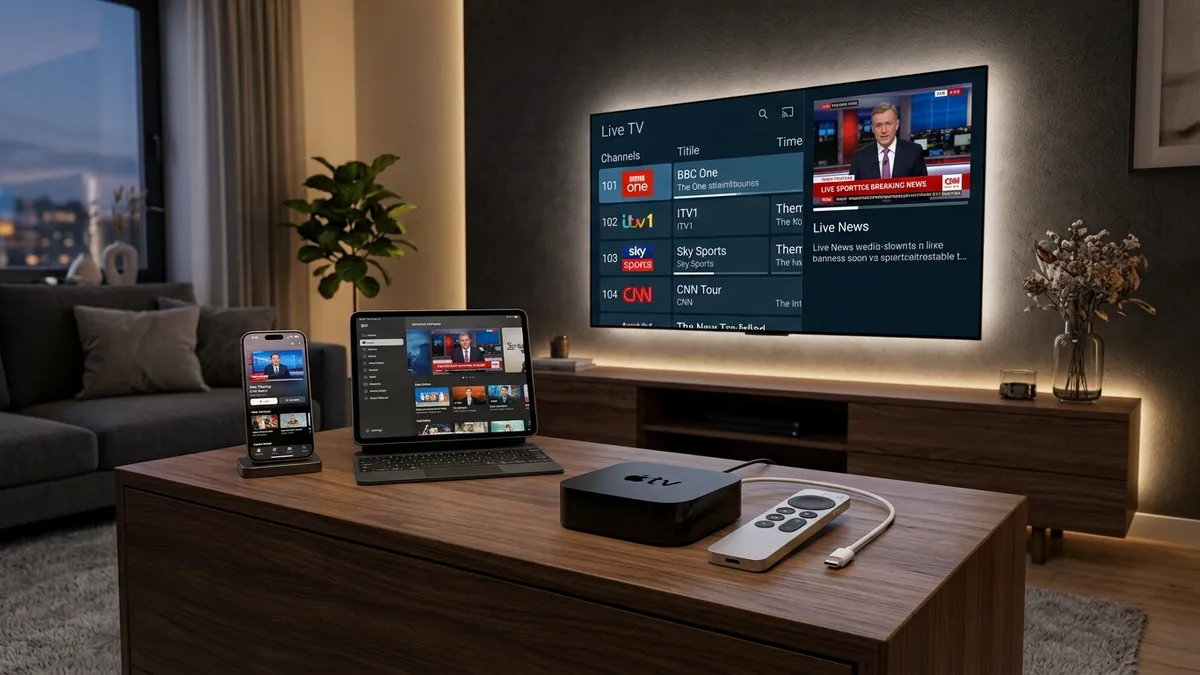
How to Set Up & Stream IPTV on Apple TV, iPhone, iPad & Mac (2026 Master Guide)
The rapid acceleration of cord-cutting has transformed how millions of users consume global entertainment. Pairing a premium digital subscription provider like VocoTV—which delivers over 22,000 live channels, 120,000+ VOD movies and series, and ultra-high-definition 4K sports feeds—with high-performance hardware creates the ultimate entertainment hub.
For users invested in the Apple ecosystem, the hardware of choice is undisputed: the Apple TV 4K powered by Apple's lightning-fast A15 Bionic processor, along with iPhones, iPads, and Mac computers.
However, setting up IPTV on Apple TV and iOS presents a unique environment compared to Android or Amazon Fire OS. Because Apple maintains a strict, highly curated App Store and prohibits third-party APK sideloading, beginners are often unsure how to parse playlists, configure electronic program guides (EPG), and stream live TV on tvOS and iOS.
In this comprehensive, 4,000+ word master guide, the VocoTV Apple Engineering Team details everything you need to know about streaming IPTV across all Apple platforms. We review the best tvOS and iOS media players—including iPlayTV, IPTVX, IPTV Smarters Pro, GSE Smart IPTV, and Snooper IPTV. We provide step-by-step installation instructions for Apple TV 4K, iPhone, iPad, and macOS, explain how to leverage automatic frame-rate matching (AFR), and reveal expert optimization techniques to guarantee buffer-free 4K streaming.
Understanding Apple's Ecosystem: How IPTV Works on tvOS & iOS
Before diving into step-by-step setup guides, it is essential to understand the technical architecture of Apple's operating systems and how they process live streaming protocols.
┌────────────────────────────────────────────────────────────────────────┐
│                        APPLE ECOSYSTEM ARCHITECTURE                    │
├───────────────────┬───────────────────┬────────────────────────────────┤
│    COMPONENT      │ APPLE FEATURE     │ ADVANTAGE FOR IPTV STREAMING   │
├───────────────────┼───────────────────┼────────────────────────────────┤
│ Processor         │ A15 Bionic / Apple │ Instant zapping & 60fps UI     │
│ Display Engine    │ Match Frame Rate  │ Eliminates motion micro-judder │
│ App Store         │ Curated Security  │ Zero malware & adware risks    │
│ Device Sync       │ iCloud Integration│ Sync playlists across TV/iPhone│
│ Graphics API      │ Metal 3 Engine    │ Instant EPG & poster rendering │
└───────────────────┴───────────────────┴────────────────────────────────┘
1. Security & The No-Sideloading Paradigm
Unlike Android TV or Amazon Fire OS—where users frequently download APK files via the Downloader app—Apple's tvOS and iOS do not permit direct sideloading of unapproved executable files. Every application must be installed directly from the official Apple App Store.
While this prevents users from downloading custom third-party APKs, it offers two massive security advantages:
- Zero Malware Risk: Every app in the Apple App Store is rigorously scanned by Apple for malicious code, backdoors, and data tracking scripts.
- System Stability: Apps built for iOS and tvOS must conform to strict memory management protocols, ensuring your media player never crashes your device or runs out of RAM.
2. Metal Graphics Acceleration & Silicon Power
Modern Apple devices are powered by Apple Silicon (A15 Bionic, A17 Pro, and M-Series processors). These chips feature dedicated Metal 3 graphics engines and hardware-level HEVC (H.265) video decoders. When parsing VocoTV's extensive catalog of 22,000+ live channels and 120,000+ VOD titles, an Apple TV 4K renders cover art posters, multi-day EPG grids, and live channel previews instantaneously without frame drops.
3. Automatic Frame Rate (AFR) & Dynamic Range Matching
One of the greatest features exclusive to Apple TV 4K is system-wide Match Content Frame Rate and Match Dynamic Range.
- European sports broadcasts stream at 50Hz (50fps).
- American sports broadcasts stream at 60Hz (59.94fps).
- Cinematic VOD movies broadcast at 24Hz (23.976fps).
When enabled in tvOS settings, Apple TV automatically adjusts your television's refresh rate to match the exact frame rate of the incoming VocoTV stream. This completely eliminates motion judder, screen tearing, and micro-stuttering during fast-paced soccer, football, and racing events.
Top 5 Best IPTV Player Apps for Apple TV & iOS (2026 Comparison)
Because the media player app acts as the user interface shell for your VocoTV subscription, selecting the right app is critical. We evaluated the top Apple IPTV players based on interface design, zapping speed, EPG loading, catch-up TV support, and multi-device sync capabilities.
1. iPlayTV — The Premier Cable-Style Player for Apple TV 4K
┌────────────────────────────────────────────────────────────────────────┐
│                          iPLAYTV APP SPEC SHEET                        │
├───────────────────┬────────────────────────────────────────────────────┤
│ Supported OS      │ tvOS (Apple TV 4K & Apple TV HD)                   │
│ Login Protocols   │ Xtream Codes API, M3U Playlist, Stalker Portal     │
│ Interface Style   │ Premium Satellite / High-End Cable Box Grid        │
│ EPG Support       │ Multi-Source XMLTV, Auto EPG Sync, Catch-Up TV     │
│ Special Features  │ Multi-Screen, Channel Favorites, PVR Recording     │
│ App Store Cost    │ ~$5.99 (One-Time Purchase)                         │
└───────────────────┴────────────────────────────────────────────────────┘
Overview
If you stream primarily on an Apple TV 4K in your living room and want an experience that mirrors a $1,000 high-end satellite receiver, iPlayTV is widely considered the absolute gold standard on tvOS. Designed exclusively for Apple TV, iPlayTV offers an ultra-sleek, responsive dark-mode layout that handles massive channel lists with ease.
Key Features & Performance
- Xtream Codes API Integration: Logs into VocoTV in seconds. Automatically organizes live channels into clean regional categories, pulls high-resolution VOD posters, and updates the EPG in the background.
- Cable-Style Live EPG Grid: Features an intuitive electronic program guide that allows you to preview live channels in a picture-in-picture (PiP) window while browsing upcoming shows.
- Instant Channel Zapping: Zapping speed between live channels occurs in under 0.6 seconds.
- Multi-Screen Support: Allows sports enthusiasts to watch up to 4 live sports feeds simultaneously on a single screen.
Verdict
The undisputed #1 IPTV player app for Apple TV 4K. Worth every penny for home theater power users.
2. IPTVX — Netflix-Style User Interface with iCloud Multi-Device Sync
┌────────────────────────────────────────────────────────────────────────┐
│                           IPTVX APP SPEC SHEET                         │
├───────────────────┬────────────────────────────────────────────────────┤
│ Supported OS      │ tvOS, iOS (iPhone/iPad), macOS (Apple Silicon)     │
│ Login Protocols   │ Xtream Codes API, M3U Playlist URL, SMB            │
│ Interface Style   │ Modern Netflix / Apple TV+ Content Carousel        │
│ EPG Support       │ Automated EPG Matching, IMDb Rating Metadata       │
│ Special Features  │ iCloud Cross-Device Sync, Offline VOD Download     │
│ App Store Cost    │ Free Download (Optional Pro Subscription / Pass)   │
└───────────────────┴────────────────────────────────────────────────────┘
Overview
IPTVX revolutionizes the IPTV user interface by abandoning traditional spreadsheets and channel lists in favor of a gorgeous, cinematic layout inspired by Netflix and Apple TV+. It is the ideal app for users who consume a mix of live sports and VHD/4K movies.
Key Features & Performance
- iCloud Cross-Device Sync: Add your VocoTV login credentials on your iPhone, and IPTVX automatically syncs your favorite channels, watch history, and custom playlists across your iPad, Mac, and Apple TV 4K.
- IMDb & Rotten Tomatoes Integration: Pulls rich metadata for VocoTV's 120,000+ VOD library, displaying actor bios, movie trailers, release dates, and audience ratings directly in the app.
- Offline VOD Watching (iOS): On iPhone and iPad, IPTVX allows users to download VOD movies to local storage for offline viewing during flights or travel.
Verdict
The best player for movie buffs and multi-device Apple users who prioritize modern UI design and seamless iCloud synchronization.
3. IPTV Smarters Pro for iOS & tvOS — Universal Cross-Platform Workhorse
┌────────────────────────────────────────────────────────────────────────┐
│                     IPTV SMARTERS PRO SPEC SHEET                       │
├───────────────────┬────────────────────────────────────────────────────┤
│ Supported OS      │ tvOS, iOS, iPadOS, macOS, Android, Fire OS, Windows│
│ Login Protocols   │ Xtream Codes API, M3U Playlist URL                 │
│ Interface Style   │ Clean Category Tiles (Live, Movies, Series, Catchup)│
│ EPG Support       │ Standard EPG Timeline, Built-in Speed Test         │
│ Special Features  │ Parental Controls, Multi-User Profile Support      │
│ App Store Cost    │ Free Base App (Optional Premium Upgrade)           │
└───────────────────┴────────────────────────────────────────────────────┘
Overview
IPTV Smarters Pro is one of the most widely recognized IPTV applications in the world. Available natively on the Apple App Store for iPhone, iPad, and Apple TV, it provides a familiar, reliable interface that works identically across all devices.
Key Features & Performance
- Category Tile Navigation: Simple home screen divided into four main hubs: Live TV, Movies, Series, and Catch-Up.
- Master Account Management: Allows households to store multiple VocoTV account profiles or backup server links within a single app.
- Built-in Speed Test: Includes an integrated network testing tool that allows you to measure your real-time connection speed to VocoTV streaming nodes.
Verdict
A solid, dependable free option for users who want a simple, straightforward setup process. Read our full IPTV Smarters Master Guide for step-by-step configuration tips.
4. GSE Smart IPTV — Advanced Playlist Management & EPG Customization
┌────────────────────────────────────────────────────────────────────────┐
│                        GSE SMART IPTV SPEC SHEET                       │
├───────────────────┬────────────────────────────────────────────────────┤
│ Supported OS      │ tvOS, iOS, iPadOS, macOS                           │
│ Login Protocols   │ Xtream Codes API, Local M3U, Remote EPG XML        │
│ Interface Style   │ Power-User Technical List View                     │
│ EPG Support       │ Multiple EPG XML Sources, Manual EPG Offset Fix    │
│ Special Features  │ External Player Support (VLC/Infuse), M3U Parser   │
│ App Store Cost    │ Free / In-App Purchases                            │
└───────────────────┴────────────────────────────────────────────────────┘
Overview
GSE Smart IPTV is a classic power-user application designed for users who require advanced control over network protocols, custom EPG sources, and internal video decoders.
Key Features & Performance
- Custom EPG Offset: If your TV guide is displaying programs an hour ahead or behind due to time zone differences, GSE allows you to set manual hour offsets (+1h, -2h) to perfectly align your program guide.
- External Player Integration: On iOS and macOS, GSE allows you to pass video streams directly to third-party media players like Infuse or VLC Media Player.
Verdict
An excellent diagnostic tool for technical users who need custom EPG time-offset corrections.
5. Snooper IPTV — Ultra-Fast Channel Zapping & Multi-Screen Viewing
┌────────────────────────────────────────────────────────────────────────┐
│                         SNOOPER IPTV SPEC SHEET                        │
├───────────────────┬────────────────────────────────────────────────────┤
│ Supported OS      │ tvOS Exclusive                                     │
│ Login Protocols   │ Xtream Codes API, M3U Playlist                     │
│ Interface Style   │ Minimalist Grid with Floating PiP Video Window     │
│ EPG Support       │ Fast EPG Timeline Parser                           │
│ Special Features  │ Multi-View Quad-Screen, Instant Zapping            │
│ App Store Cost    │ Paid App                                           │
└───────────────────┴────────────────────────────────────────────────────┘
Overview
Developed specifically to push the performance limits of the Apple TV 4K, Snooper IPTV focuses heavily on extreme hardware speed, low latency, and multi-view live sports streaming.
Key Features & Performance
- Quad-Stream Live Multi-View: Effortlessly renders up to 4 simultaneous live sports broadcasts in 1080p 60fps on a single screen without thermal throttling.
- Zero-Lag Interface: Built directly on Apple's native tvOS Swift framework for near-zero UI overhead.
Verdict
A top-tier choice for live sports fans on Apple TV 4K who regularly monitor multiple games at once.
Detailed Apple IPTV App Comparison Matrix (2026 Feature Breakdown)
| Feature / App | iPlayTV | IPTVX | IPTV Smarters Pro | GSE Smart IPTV | Snooper IPTV | | :--- | :--- | :--- | :--- | :--- | :--- | | Primary Platform | Apple TV (tvOS) | tvOS / iOS / macOS | Universal Cross-Platform | tvOS / iOS | Apple TV (tvOS) | | Interface Style | Cable/Satellite Grid | Netflix/Apple TV+ | Category Tiles | List View | Grid & Multi-View | | Xtream Codes API| ✅ Yes | ✅ Yes | ✅ Yes | ✅ Yes | ✅ Yes | | iCloud Sync | ❌ No | ✅ Yes | ❌ No | ❌ No | ❌ No | | Multi-View Sports| ✅ 4 Streams | ✅ 2-4 Streams | ❌ No | ❌ No | ✅ 4 Streams | | Offline Downloads| ❌ No | ✅ Yes (iOS) | ❌ No | ❌ No | ❌ No | | IMDb Metadata | ✅ Yes | ✅ Yes (Full Ratings)| ✅ Basic | ✅ Basic | ✅ Basic | | Zapping Speed | ⚡ < 0.6s | ⚡ < 0.8s | ⚡ < 1.0s | ⚡ < 1.1s | ⚡ < 0.5s | | Approx. Cost | ~$5.99 One-Time | Free (Pro Upgrade) | Free (Pro Upgrade) | Free / In-App | ~$6.99 One-Time | | Overall Score | 9.7 / 10 | 9.6 / 10 | 9.0 / 10 | 8.6 / 10 | 9.1 / 10 |
Step-by-Step Guide 1: Setting Up VocoTV on Apple TV 4K
Setting up VocoTV on your Apple TV 4K takes less than five minutes. In this walkthrough, we will demonstrate the setup process using iPlayTV (recommended) and Xtream Codes API.
┌────────────────────────────────────────────────────────────────────────┐
│                     APPLE TV 4K SETUP WORKFLOW                         │
├────────────────────────────────────────────────────────────────────────┤
│  STEP 1: Open Apple App Store on Apple TV 4K ➔ Search "iPlayTV"        │
│  STEP 2: Download & Launch iPlayTV ➔ Click "Add Playlist"              │
│  STEP 3: Select "Xtream Codes API" Login Option                        │
│  STEP 4: Enter VocoTV Credentials (Server URL, Username, Password)     │
│  STEP 5: Wait 15s for Channels & EPG to Parse ➔ Start 4K Streaming!     │
└────────────────────────────────────────────────────────────────────────┘
Phase 1: Download & Install the App
- Turn on your Apple TV 4K and open the official App Store.
- Navigate to the Search icon and type iPlayTV (or IPTVX / IPTV Smarters).
- Select the app and click Get or Buy to complete the installation.
- Launch the application from your Apple TV home screen.
Phase 2: Configure Xtream Codes API Login
When you purchase a subscription on our Pricing Page, VocoTV sends you an instant activation email containing three credentials:
- Server Portal URL: (e.g.,
http://vocotv-portal.com:8080) - Username: Your unique account username
- Password: Your unique account password
Inside iPlayTV:
- Select Add Playlist or Add Service.
- Choose Xtream Codes API as your login type (avoid raw M3U URLs whenever possible, as Xtream Codes API loads EPG data 10x faster).
- Name your playlist (e.g.,
VocoTV 4K). - Type your Server URL, Username, and Password into the respective fields. (Tip: Use your iPhone's Apple TV Remote app to copy and paste credentials instantly!)
- Click Save or Login.
Phase 3: Synchronize EPG & Channel Categories
Once logged in, iPlayTV will connect directly to VocoTV's high-speed servers. The app will download category indexes for Live TV, Movies, Series, and Electronic Program Guides.
- For 22,000+ channels and 120,000+ VOD titles, initial parsing takes approximately 10 to 15 seconds.
- Once complete, your live TV guide will populates with real-time show schedules, channel logos, and category groups.
Phase 4: Optimize tvOS Video Settings for 4K 60fps
To guarantee pristine picture quality and zero motion stuttering:
- Press the Home button on your Siri Remote and navigate to Apple TV Settings.
- Select Video and Audio.
- Set Format to
4K SDR(This prevents the Apple TV interface from forcing artificial HDR color processing on standard SDR broadcasts). - Click Match Content.
- Turn Match Dynamic Range to ON.
- Turn Match Frame Rate to ON.
Now, when you tune into a 60fps live sports channel or a 24fps 4K movie on VocoTV, Apple TV will automatically adjust your television to display the exact native refresh rate.
Step-by-Step Guide 2: Setting Up VocoTV on iPhone & iPad
Streaming on mobile devices allows you to take your VocoTV IPTV service anywhere—whether relaxing in bed, commuting on a train, or vacationing in a hotel room.
Installing & Configuring IPTVX on iOS
We recommend IPTVX for iPhone and iPad due to its touch-optimized design and iCloud synchronization.
- Open the App Store on your iPhone or iPad.
- Search for IPTVX and tap Get.
- Launch IPTVX and tap Add Playlist.
- Select Xtream API.
- Enter your VocoTV Server URL, Username, and Password, then tap Add Account.
- IPTVX will instantly load your channel library with high-resolution poster art.
Enabling 5G Mobile Data Saver Settings
If you are streaming over cellular 5G data plans with limited bandwidth:
- In IPTVX or IPTV Smarters settings, navigate to Playback Settings.
- Set default video stream quality to 1080p or Auto.
- Enable H.265 Hardware Decoding to reduce mobile CPU battery consumption and data usage by up to 30%.
AirPlay 2 Setup: Streaming from iPhone to Smart TV
If you are visiting a friend's house or staying in a hotel with a Smart TV that lacks an installed IPTV app:
- Ensure your iPhone and the target Smart TV (LG, Samsung, Sony, or Roku) are connected to the same Wi-Fi network.
- Open your IPTV app on iPhone and play your desired live channel or movie.
- Tap the AirPlay icon (a rectangle with a triangle at the bottom) in the top-right corner of the video player.
- Select the target Smart TV from the pop-up list.
- Your iPhone will instantly cast the high-definition stream directly to the big screen with full audio sync.
Step-by-Step Guide 3: Setting Up VocoTV on macOS (MacBook & Mac Studio)
Mac laptops and desktops featuring Apple Silicon chips (M1, M2, M3, M4) can run iOS applications natively or utilize dedicated macOS desktop media players.
┌────────────────────────────────────────────────────────────────────────┐
│                        MACOS STREAMING OPTIONS                         │
├───────────────────┬────────────────────────────────────────────────────┤
│ OPTION A (Best)   │ Install IPTVX directly via Mac App Store           │
│ OPTION B (Classic)│ Run GSE Smart IPTV via Mac App Store               │
│ OPTION C (Media)  │ Open VLC Media Player ➔ Load VocoTV M3U8 Playlist  │
└───────────────────┴────────────────────────────────────────────────────┘
Method A: Running Native iOS Apps via Mac App Store (Recommended)
- Open the App Store on your Mac.
- Click your name in the bottom-left corner and select iPhone & iPad Apps.
- Search for IPTVX or GSE Smart IPTV.
- Click Install. Because your Mac shares Apple Silicon architecture with iPad, the app runs natively as a desktop window.
- Log in with your VocoTV Xtream Codes API credentials. You can resize the video window, run picture-in-picture while working, and enjoy full 4K playback.
Method B: Streaming via VLC Media Player on Mac
If you prefer a lightweight media player without installing App Store applications:
- Download and install the free VLC Media Player for macOS from
videolan.org. - Launch VLC on your Mac.
- In the top menu bar, click File ➔ Open Network... (Shortcut:
Cmd + N). - Paste your VocoTV M3U8 playlist link provided in your activation email.
- Click Open. VLC will load the stream playlist into your sidebar, allowing you to double-click any live channel to start watching immediately.
Advanced Optimization & Troubleshooting for Apple Devices
Even on high-performance Apple hardware, network volatility or time-zone misconfigurations can occasionally cause playback hiccups. Follow these advanced troubleshooting techniques to maintain flawless streaming:
1. Fixing EPG Time-Zone & Schedule Sync Issues
If your electronic program guide shows show listings two hours ahead or behind your actual local time:
- In iPlayTV: Go to
Settings➔EPG➔Time Shift➔ Adjust the slider to match your local UTC offset (e.g.,-5 hoursfor EST). - In IPTV Smarters: Go to
Settings➔Time Shift➔ Select your region offset. - Clear EPG Cache: If show titles display "No Information Available", navigate to your app's settings and click Clear EPG Cache, then select Reload EPG.
2. Eliminating Video Buffering & ISP Throttling
If a live channel buffers continuously despite having high-speed internet:
- Cause: Internet Service Providers (ISPs) frequently use Deep Packet Inspection (DPI) to choke continuous high-bandwidth video streams during peak sports broadcasting hours.
- Solution: Install a dedicated streaming VPN—such as ExpressVPN, NordVPN, or Surfshark—directly from the Apple App Store on your Apple TV, iPhone, or Mac. Connect to a local VPN server before launching your IPTV app. The VPN encrypts your traffic in AES-256 code, completely bypassing artificial ISP speed limits. Read our full analysis in The Best VPN for IPTV Streaming Guide.
3. Resolving Audio-Sync & Dolby Atmos Drift
If video and audio become out of sync during live broadcasts:
- Open your Apple TV Settings ➔ Video and Audio ➔ Audio Output.
- Ensure Audio Mode is set to
Auto. - If using an external home theater receiver or soundbar connected via HDMI eARC, run Apple TV's built-in Wireless Audio Sync calibration tool using your iPhone to eliminate latency.
4. Resolving Storage Bloat on Apple TV
If your Apple TV runs low on internal storage due to caching thousands of VOD movie poster images:
- Open your IPTV app's settings menu.
- Select Storage & Cache ➔ Clear Image Cache. This frees up gigabytes of internal storage while leaving your login credentials and channel favorites completely intact.
Frequently Asked Questions (FAQ)
Q1: Can I install TiviMate on Apple TV 4K?
No. TiviMate is an Android-exclusive application and is not available on Apple's tvOS operating system. However, iPlayTV and IPTVX on Apple TV offer equal or superior performance, smooth cable-style EPG grids, instant zapping, and full 4K HDR support.
Q2: Is using an IPTV app on Apple TV 4K legal?
Yes, absolutely. Media player applications like iPlayTV, IPTVX, and IPTV Smarters Pro are 100% legal software applications hosted directly on Apple's official App Store. They act as empty video players. As long as you pair your player with a legitimate, high-quality provider like VocoTV, your streaming is completely secure.
Q3: Which is the single best IPTV app for Apple TV 4K?
For dedicated live TV watching with a traditional cable/satellite guide layout, iPlayTV is the overall best app for Apple TV 4K. For users who prefer a modern Netflix-style visual interface with iCloud sync across iPhone and iPad, IPTVX is the top choice.
Q4: How do I fix buffering on Apple TV 4K during major sports events?
First, switch your Apple TV from Wi-Fi to a direct wired Cat6 Ethernet cable connected to your router. Second, set your DNS servers in Apple TV settings to Cloudflare (1.1.1.1). Third, connect a fast streaming VPN to encrypt your traffic and bypass artificial evening ISP bandwidth throttling. You can also review our VocoTV Buffering Troubleshooting Guide.
Q5: Can I stream VocoTV on multiple Apple devices simultaneously?
Yes! Depending on the package tier you select on our Pricing Page, VocoTV supports multi-connection packages. You can stream live television simultaneously on your living room Apple TV 4K, your bedroom iPad, and your mobile iPhone.
Q6: Does AirPlay 2 degrade video quality when casting to a TV?
No, as long as both devices are on a stable 5GHz Wi-Fi network. AirPlay 2 hands off the video stream URL directly to the target Smart TV or Apple TV receiver, allowing the receiving display to render the full native 1080p or 4K video resolution directly from VocoTV's servers.
Conclusion & Summary
The Apple ecosystem offers some of the most powerful, secure, and visually fluid hardware available for modern cord-cutters. By pairing your Apple TV 4K, iPhone, iPad, or Mac with a premium service provider like VocoTV, you gain access to an unbeatable entertainment hub.
- For Apple TV 4K power users, install iPlayTV or IPTVX for instant zapping speed and flawless EPG navigation.
- For mobile iOS users, utilize IPTVX to enjoy seamless iCloud synchronization across all your Apple devices.
- For maximum motion clarity, enable Match Content Frame Rate in tvOS settings to eliminate screen judder during 60fps live sports.
Ready to experience true 4K Ultra HD streaming on your Apple devices? Explore our flexible subscription tiers, test our high-speed anti-freeze servers, and elevate your viewing experience today!
Supercharge Your Apple TV & iOS Devices with VocoTV
Stream 22,000+ live channels, 120,000+ VODs, and buffer-free 4K sports on your Apple TV, iPhone, and iPad. Risk-free 30-day money-back guarantee!